
Download BySoft StayAlive Pro – Utility, Productivity, Internet Connection, Idle Disconnection Prevention
Overview
BySoft StayAlive Pro is a utility mobile application designed to maintain an active internet connection by simulating periodic online activity. The app targets users who experience automatic disconnections from their internet service providers due to inactivity. This is a common issue with certain ISPs, especially in shared or public network environments, where idle sessions are terminated to free up bandwidth. BySoft StayAlive Pro addresses this problem by generating simulated internet traffic at customizable intervals, ensuring that the connection remains active even during periods of non-use.
The app is particularly useful for individuals who rely on stable internet access for remote work, online gaming, video conferencing, or long-term downloads. It functions as a background tool that operates without disrupting normal device usage. The developer, BySoft, has positioned this app as a lightweight, efficient solution for users seeking uninterrupted connectivity without requiring technical expertise.
Although the developer did not provide additional technical details about the app’s architecture or history, the release date of November 18, 2005, suggests a long-standing presence in the utility space. This longevity may indicate a proven track record of reliability. The app’s ability to customize both the websites used for pinging and the interface appearance through skins adds a layer of personalization, enhancing user engagement and long-term usability.
Key Features & Functionality
- Automatic Activity Simulation: The app periodically connects to selected websites to simulate real user activity. This prevents ISPs from identifying the session as idle and terminating it. The simulation runs in the background, requiring no user interaction.
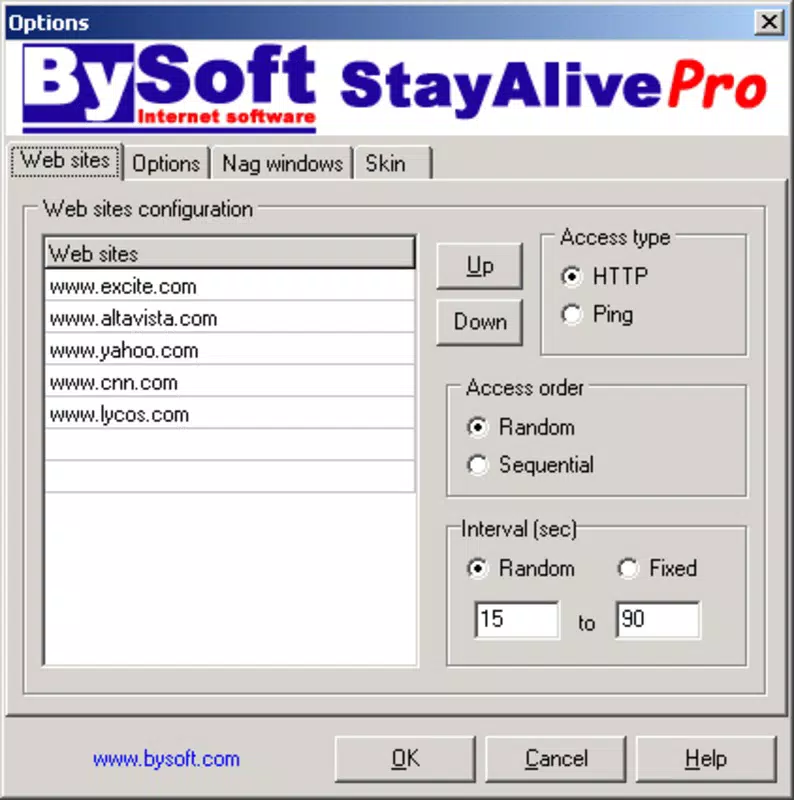
- Customizable Website Selection: Users can choose from a default list of websites or input their own. This feature allows users to support preferred domains while maintaining connectivity, promoting ethical use and network efficiency.
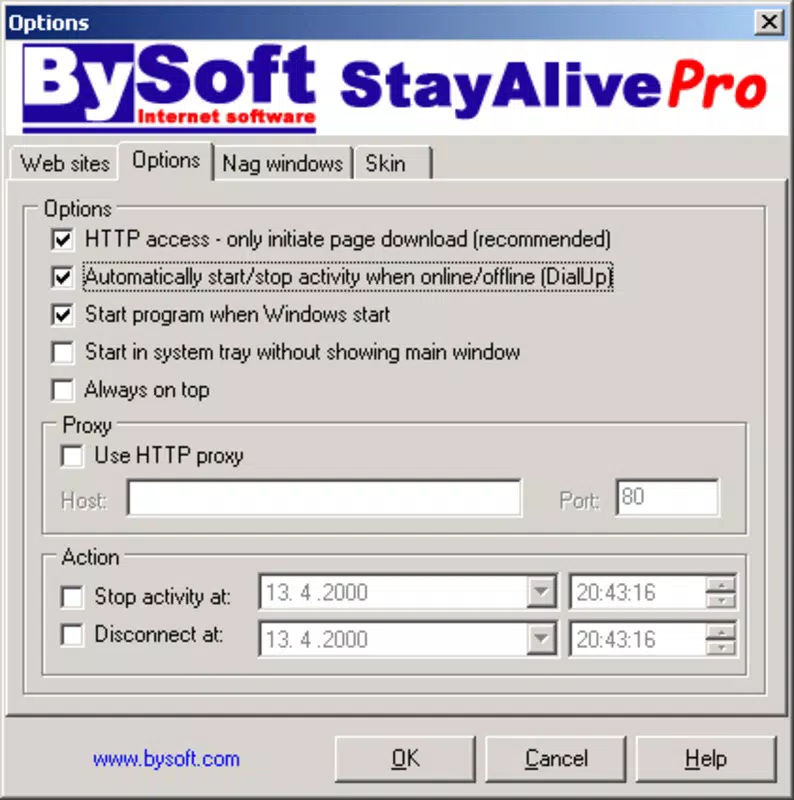
- Idle Disconnection Prevention: StayAlive Pro monitors internet activity and only initiates pings when inactivity is detected. This intelligent behavior reduces unnecessary data usage and ensures that the app activates only when needed.
- User-Friendly Customization: The inclusion of skin options enables users to modify the app’s visual appearance. This helps users personalize the interface, improving accessibility and aesthetic satisfaction.
- Flexible Interval Settings: Users can set the ping interval between 15 and 90 seconds. This range allows for fine-tuning based on individual ISP policies and usage patterns, offering a balance between connection stability and minimal network load.
For example, a remote worker using a public Wi-Fi hotspot could set the interval to 30 seconds to prevent disconnection during a long video call. Similarly, someone downloading large files could use the app to keep the connection alive during idle moments between transfers. These real-world applications highlight the app’s practical value in maintaining uninterrupted digital workflows.
Interface, UX & Performance
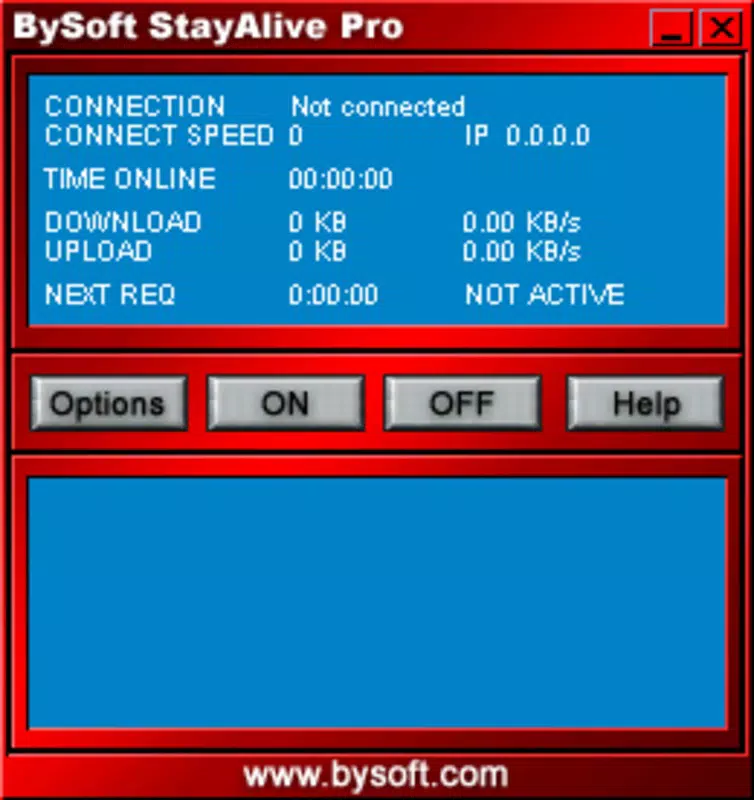
BySoft StayAlive Pro features a clean, functional interface that prioritizes usability over visual complexity. The layout is structured around core controls—interval settings, website selection, and skin customization—arranged in a logical hierarchy. Navigation is straightforward, with minimal steps required to configure the app’s behavior.
The visual style is minimalistic, relying on clear labels and consistent button placement. The skin system allows users to modify colors, fonts, and background elements, enabling a personalized look that aligns with individual preferences. While the developer did not specify performance metrics, the app’s lightweight nature suggests efficient resource usage.
Although the developer did not list formal performance metrics, the app appears designed to operate smoothly in the background without significantly impacting battery life or system responsiveness. It is likely optimized for stability across a range of device categories, from entry-level smartphones to high-end models. The app’s ability to function without constant user input supports its role as a reliable background utility.
Platform Compatibility & Technical Requirements
BySoft StayAlive Pro is available on Android and iOS platforms. The latest version is not specified in the provided information, nor is the exact file size. Compatibility details, including minimum OS versions, were not fully disclosed by the developer.
The developer did not specify minimum OS requirements or device compatibility tiers. As such, users should ensure their device meets the general standards for running background applications and network utilities. The app’s functionality depends on access to the internet and background execution permissions, which may vary across device manufacturers and OS versions.
Pros and Cons
Pros
- Effectively prevents idle disconnections from internet service providers
- Supports customizable website selection for ethical traffic generation
- Flexible interval settings (15–90 seconds) for tailored performance
- Offers skin customization for personalized interface appearance
- Operates in the background without disrupting regular device use
Cons
- Developer did not provide detailed technical specifications or performance data
- Compatibility with specific OS versions was not disclosed
- May consume data during background pings, though minimal
- Interface may appear dated compared to modern app designs
- Requires user configuration to achieve optimal results
FAQ
Is BySoft StayAlive Pro safe to use?
Yes, the app functions by simulating legitimate internet activity through standard HTTP requests. It does not access sensitive device data or alter system settings. As long as users only select trusted websites for pinging, the app poses no security risk.
Can I use my own websites in the app?
Yes, users can add custom websites to the list of targets for periodic pinging. This allows for personalization and ensures that the app supports preferred domains.
Does the app work on both Android and iOS?
Yes, BySoft StayAlive Pro is available on both Android and iOS platforms. Specific version compatibility details were not provided by the developer.
Will the app drain my battery?
Given its lightweight design and background operation, the app is expected to have minimal impact on battery life. However, frequent pinging may contribute slightly to power consumption over extended periods.
How often can I set the ping interval?
Users can adjust the ping interval between 15 and 90 seconds. This range allows for customization based on ISP policies and usage patterns.
Final Thoughts
BySoft StayAlive Pro stands out as a focused, reliable utility for users battling idle disconnection issues. Its core functionality—maintaining an active internet session through intelligent pinging—is executed with precision and minimal overhead. The ability to customize both the target websites and the app’s visual appearance enhances its long-term usability and user satisfaction.
While the app lacks modern design elements and detailed technical documentation, its enduring presence since 2005 speaks to its stability and effectiveness. It remains a valuable tool for remote workers, students, and anyone requiring consistent internet access in environments prone to automatic session termination.
For those seeking a dependable, no-frills solution to keep their connection alive, BySoft StayAlive Pro delivers consistent value. Download BySoft StayAlive Pro now


